
How to embed a web page in Business Central with WebPageViewer
A few days ago, I was asked whether it was possible to view an external list directly from Business Central, without leaving the application. The idea was quite simple: to have a page in BC where we could consult information hosted in an external web application.


After looking into it, I found that this can be done using WebPageViewer, which allows web content to be embedded in a Business Central page. The user continues working in BC but has a web page embedded on their screen.
To try it out, I created a very simple AL page that points directly to Microsoft’s official website:
page 50500 "XXX External Web Viewer"
{
    PageType = UserControlHost;
    ApplicationArea = All;
    UsageCategory = Administration;
    Caption = 'Listado externo';

    layout
    {
        area(Content)
        {
            usercontrol(WebViewer; WebPageViewer)
            {
                trigger ControlAddInReady(CallbackUrl: Text)
                begin
                    CurrPage.WebViewer.Navigate(
                        'https://www.microsoft.com/es-es');
                end;
            }
        }
    }
}
In this example, I used WebPageViewer to load the URL through the Navigate() method. I also used the UserControlHost page type, available from Business Central 26 (runtime 15.0), which is designed specifically to host these controls and make better use of the available space.
In earlier versions, it was also possible to use a Card page, but it really does look much better with UserControlHost.
Once the extension has been published, we can access the page directly through Tell Me, since we have set UsageCategory = Administration.
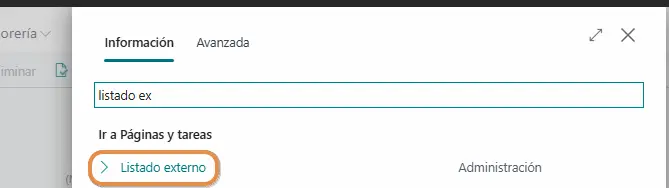
When we open it, we will see Microsoft’s website embedded in BC, keeping the familiar Business Central interface without leaving the application:
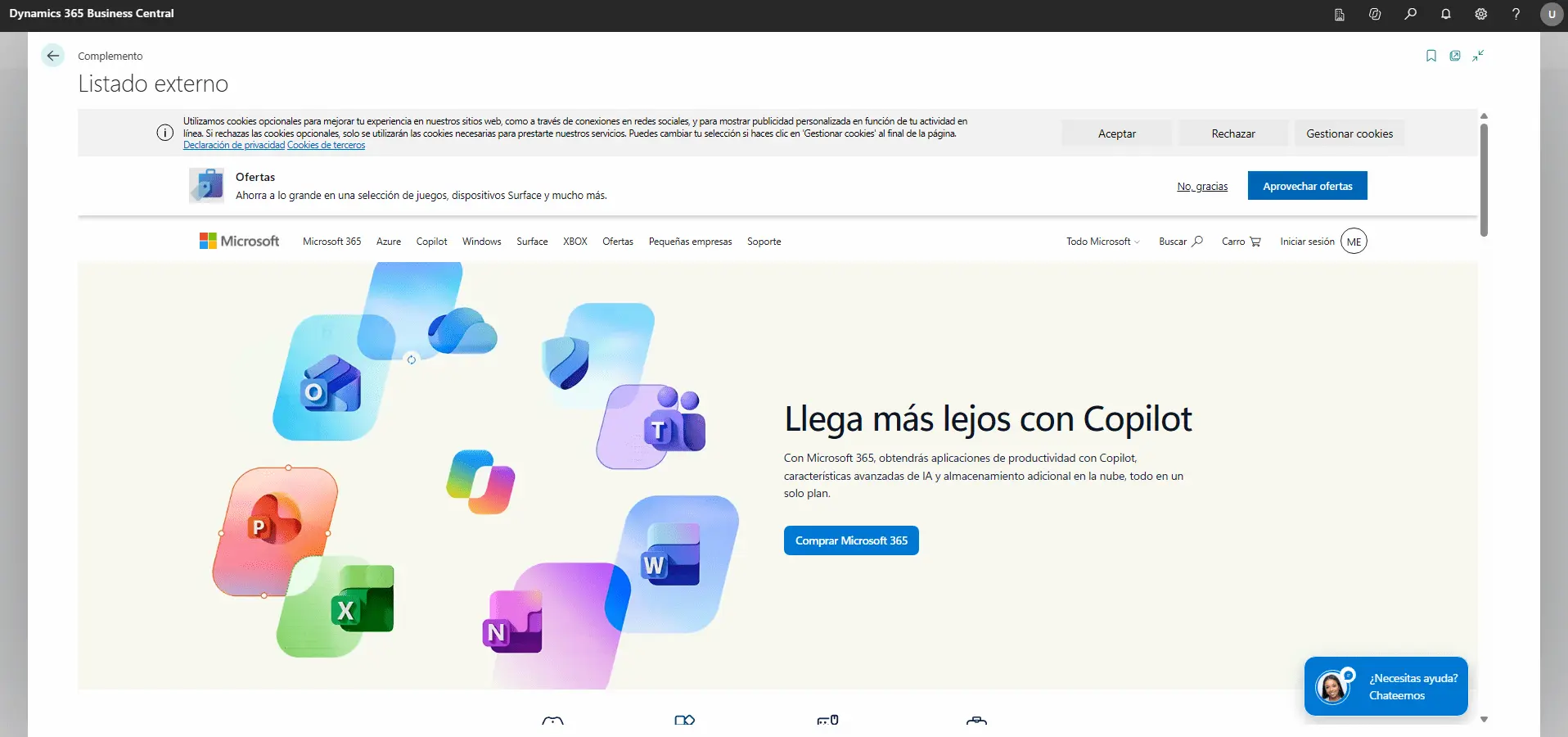
I found the result quite interesting, particularly because it is so simple to implement. We are essentially displaying a web page inside BC, so there is no need to import its data or develop an API integration if all we want to do is view its content.
A few considerations
Of course, not every web page can be displayed this way. For this to work, the external application must allow itself to be displayed inside an iframe. Also, if it is a private application, we would need to review how it handles authentication, since being signed in to BC does not mean we are automatically authenticated in that application.
So, just because a website works directly in a browser does not guarantee that we can embed it in Business Central, but the idea certainly seems promising.
References
In addition to the standard documentation (https://learn.microsoft.com/en-us/dynamics365/business-central/dev-itpro/developer/devenv-page-type-usercontrolhost), I referred to this YouTube video, which I found quite helpful for understanding how WebPageViewer works. I also recommend taking a look at the article Render image and URL in Business Central with UserControlHost page type, which explains this new page type and provides other examples in greater technical detail.
An idea to keep thinking about.
Explore more articles →