
A new way to install extensions in Business Central
Microsoft is changing the way extensions are installed in Business Central SaaS.


Until now, the usual approach was to open the “Extension Management” page and upload the .app file directly from the user interface.
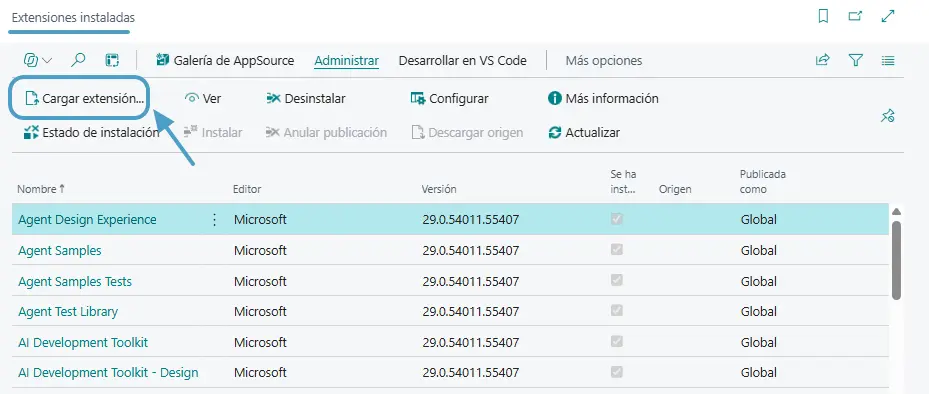
Since version 28 (2026 release wave 1), Microsoft has recommended installing extensions through the Business Central administration center. In fact, installing extensions from the usual page is scheduled to become unavailable in version 30 (2027 release wave 1), although the page will remain available for viewing installed extensions.
Installing from the administration center
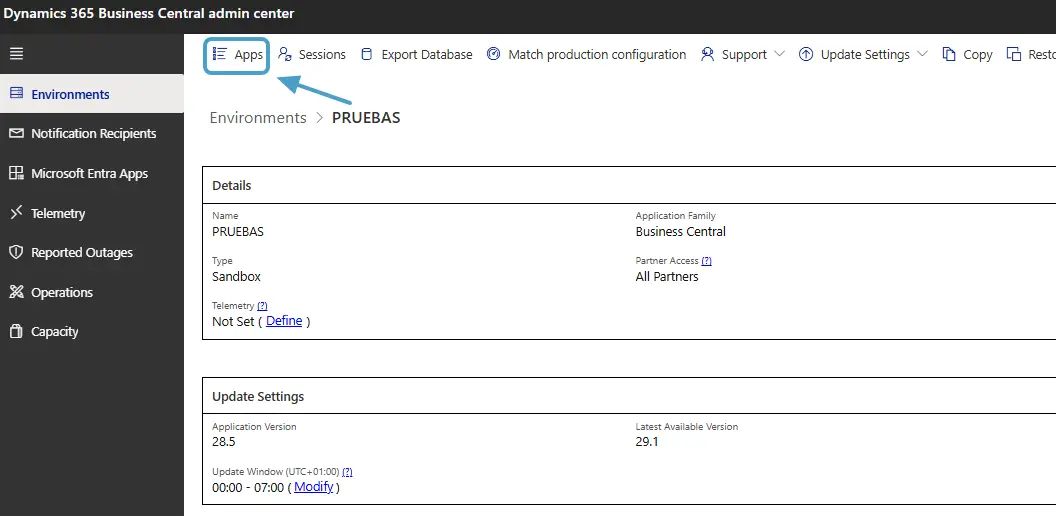
To install an extension, we need to access Partner Center if we manage our customers’ environments, or go directly to the Business Central administration center.
Once there, we select the relevant environment and open Apps, where we will find the installed applications and the Install Extension option.
From here, we can select our extension’s .app file and configure the deployment options.
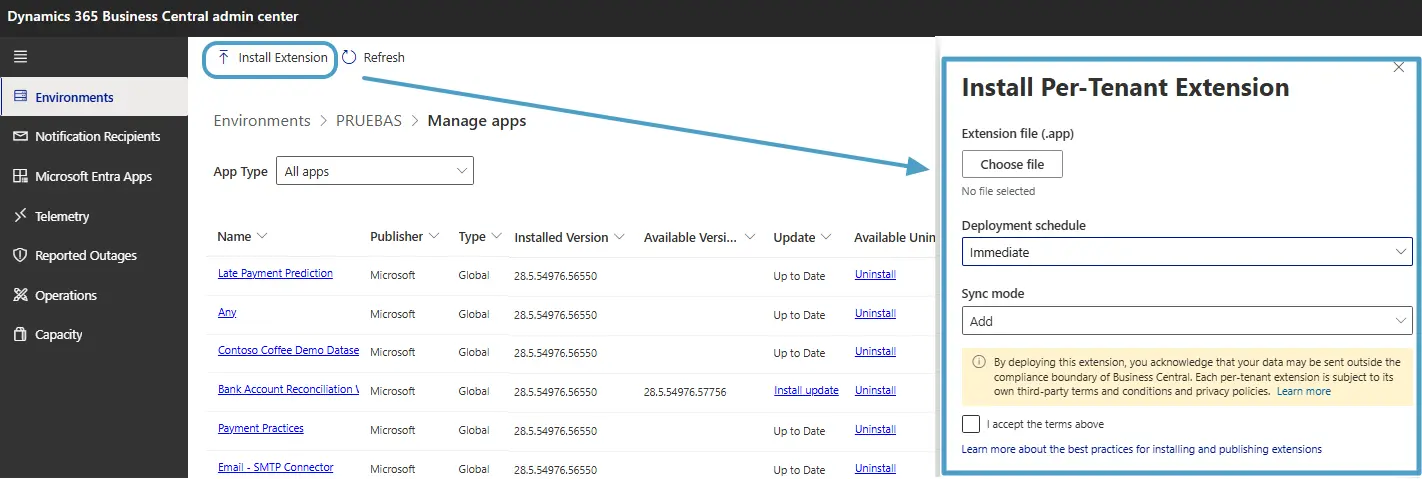
What I find most interesting about this new process is that we can choose when to install the extension. For example, the Update Window option lets us schedule the installation during the environment’s next update window. This is quite useful when we want to update an extension outside users’ working hours, avoiding disruption to their daily tasks.
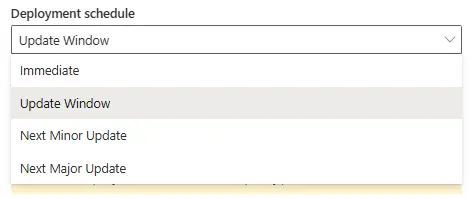
However, bear in mind that the update window is not configured when selecting the extension file. We are simply indicating that we want to use it.
To configure the schedule, we need to open the environment’s Update Settings, where we can set the time slot and time zone for updates.

Installing extensions through an API
If we want to take a slightly more technical approach, we can also install and update extensions through the Business Central administration center API. This is particularly useful when we have our own extensions installed for several customers.
For example, imagine we have the same extension installed for 20 customers and want to update it to a new version. Instead of accessing each customer’s administration center to install it manually, we can develop an external process (or even run it from our own BC as a partner) to handle deployments centrally.
Of course, we will need the appropriate permissions for each customer’s environments, but it is a good option for automating version management for our extensions.
In addition, this new API supports both immediate installation and scheduled deployments, so we can take advantage of the same update windows discussed earlier.
Personally, I have not tried these APIs yet, but Roberto Corella does a great job of showing how to use them in this video.
Official Microsoft documentation:
An idea to keep thinking about.
Explore more articles →