
Recurring journal entries in Business Central
Copy posted entries, use recurring journals, and save lines as standard journals.

It is common to need to post the same journal entries repeatedly, particularly for monthly transactions or those that recur at regular intervals throughout the year.
Business Central offers several ways to avoid creating these entries from scratch. In this article, we will look at three of them: copying posted entries, using recurring journals, and saving lines as standard journals for later reuse.
Copying posted journal entries
For some time, the General Journal Templates page has included the “Copy to Posted Jnl. Lines” option. When enabled, Business Central saves a copy of the posted lines in a separate history, specifically in the “Posted Gen. Journal Line” table.
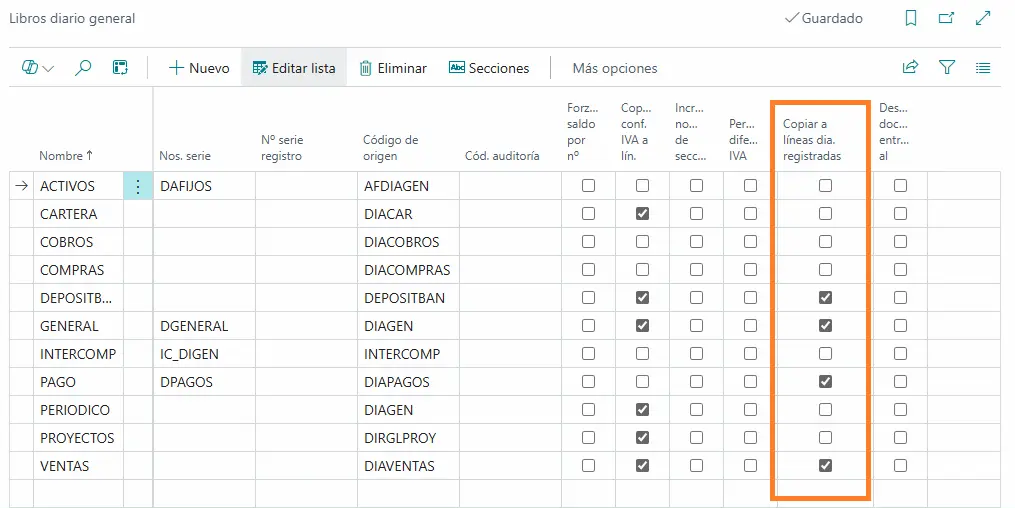
One advantage of keeping this history is precisely the ability to retrieve posted entries and use them as the starting point for new transactions.
When we select the option to copy posted lines, a window opens where we can specify the destination journal template and batch, as well as the posting date and document number to use for the new lines. We can also reverse the sign of the amounts.
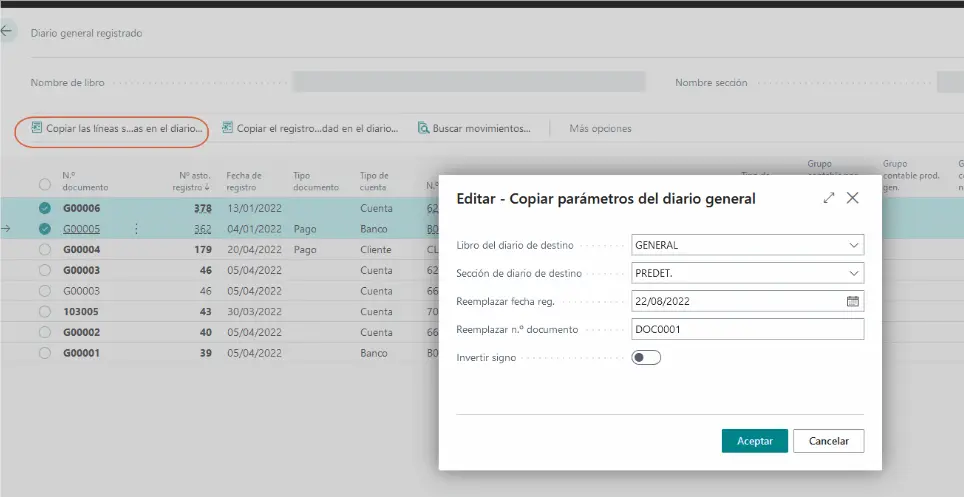
This feature can be particularly useful when we have a journal entry with many lines, accounts and dimensions that we need to repeat occasionally.
The ability to reverse the sign is also useful when we need to generate an entry that reverses the original one. This lets us retrieve its entire structure without manually rebuilding every line.
Recurring journals
Another way to generate recurring entries is to use recurring journals.
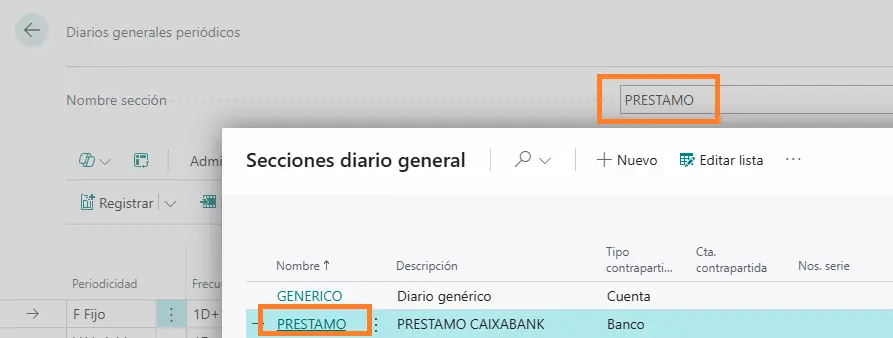
These should not be confused with regular general journals. Although both are used to post accounting entries, they work differently. Recurring journals are specifically designed to retain certain lines after posting and reuse them according to a defined schedule.
A recurring journal is a general journal with specific fields for managing transactions that are posted frequently with few changes or none at all. Examples include accruals, rent, subscriptions and certain recurring allocations.
With a recurring journal, entries that will be posted regularly only need to be entered once. The accounts, dimensions, dimension values and other configured information remain in the journal after posting, so we only need to change whatever varies from one period to the next.
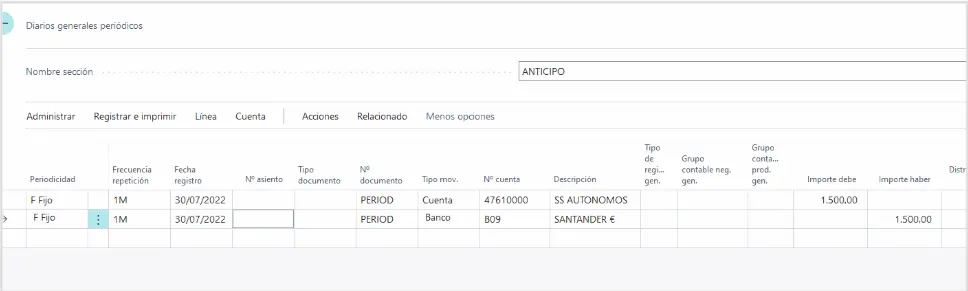
On each line, we need to configure some specific fields:
- Recurring Method: determines what happens to the line amount after posting.
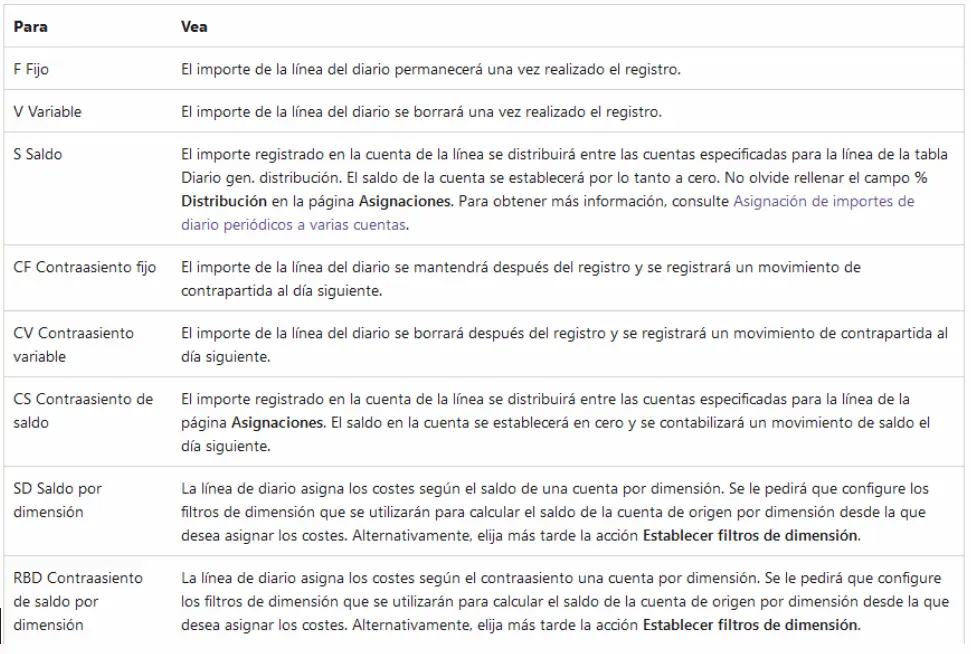
For example, with a fixed recurring method, the amount remains on the line after posting, whereas with a variable recurring method, the amount is cleared so that a new one can be entered before the next posting.
- Recurring Frequency: a date formula field that determines how often the transaction should be posted again.
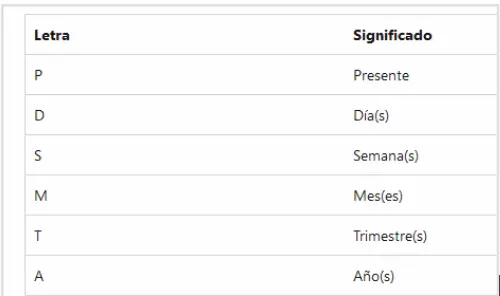
- Posting Date: specifies the date on which the entry will initially be posted. After posting, Business Central automatically updates this date using the configured recurring frequency.
A simple example would be a monthly accrual for an estimated expense throughout the financial year. We can create a line with the relevant G/L accounts, dimensions and amount, set a monthly frequency, and use the end of the financial year as the expiration date.
Each month, we only need to review the journal and post it. After posting, Business Central automatically calculates the date for the next period, keeping the line ready for the following month.
It is important to consider journal batches here, as they are useful for distinguishing different uses or functions.
Templates
Another option for repeated entries is to save particular lines and retrieve them later through standard journals. In practice, we can use these as journal entry templates.
To do this, we create the lines we want to keep in the general journal and select those that will form the template. We then use the “Save as Standard Journal” action.
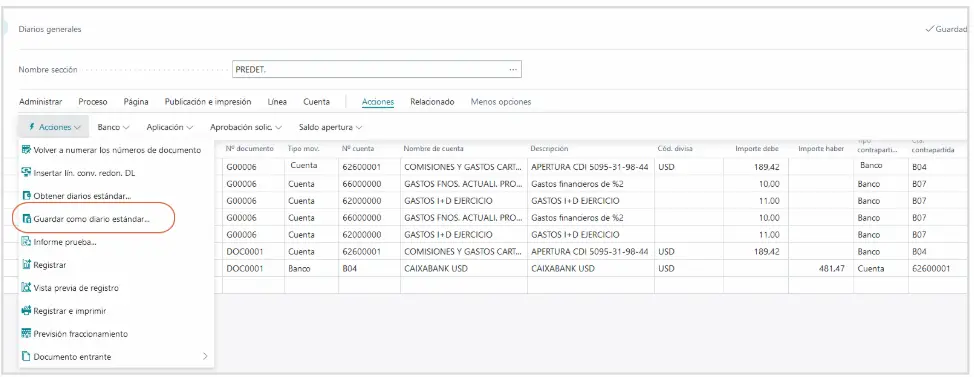
We can then assign a code and description to the standard journal and choose whether to save the amounts as well. If the amounts change each time we use the entry, saving only its structure may be more useful.
When we need to reuse those lines the following month, the following quarter or whenever appropriate, we select the “Get Standard Journals” action.
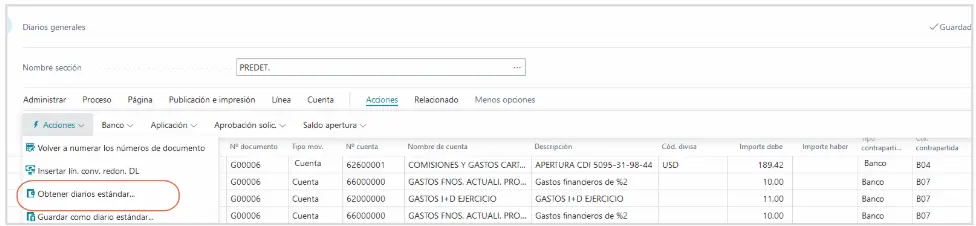
Business Central adds the lines back to the journal, and we can make any necessary changes before posting them.
This option is particularly useful for entries whose structure repeats but which do not necessarily follow a fixed schedule.
An idea to keep thinking about.
Explore more articles →